Bible AI
The Bible in ChatGPT and Claude
AI assistants quote scripture from memory, and memory slips: blended translations, missing words, verses that were never written. Connect yours to Sovereign Logos and it looks up the exact text instead.
Ask for any verse in the Septuagint, the King James Version with the Apocrypha or the Geneva Bible. Get a verse image ready to post. Get today’s reading every morning. Free, with nothing to sign up for.
What you can ask for
Real results from the connector. Type the request in plain words; the assistant picks the right tool.
You type
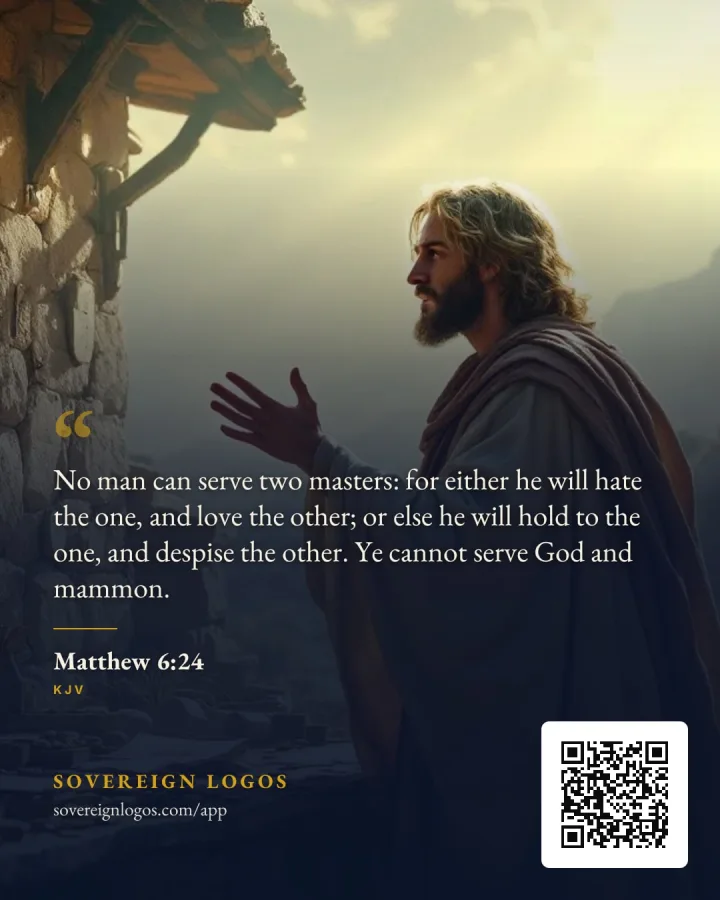
“Make a verse image of Matthew 6:24 for Instagram.”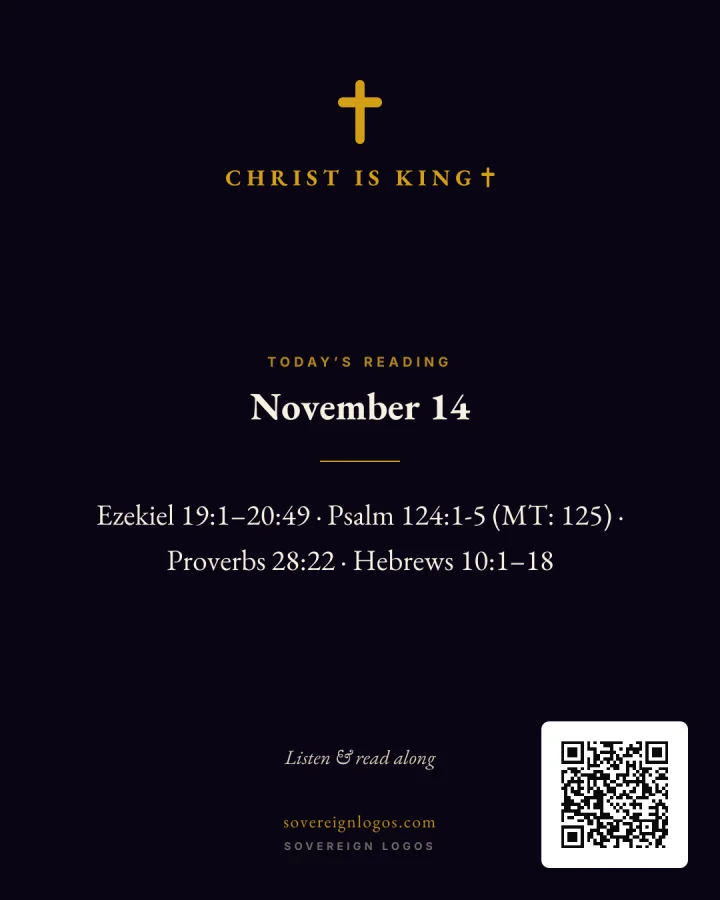
You type
“Give me today's Bible reading and the image to post.”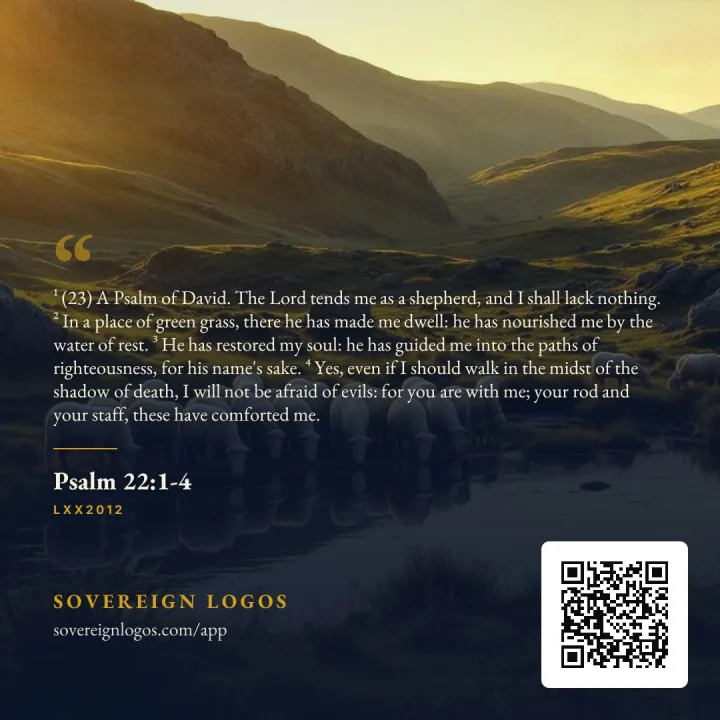
You type
“Make a square image of Psalm 23:1-4 from the Septuagint.”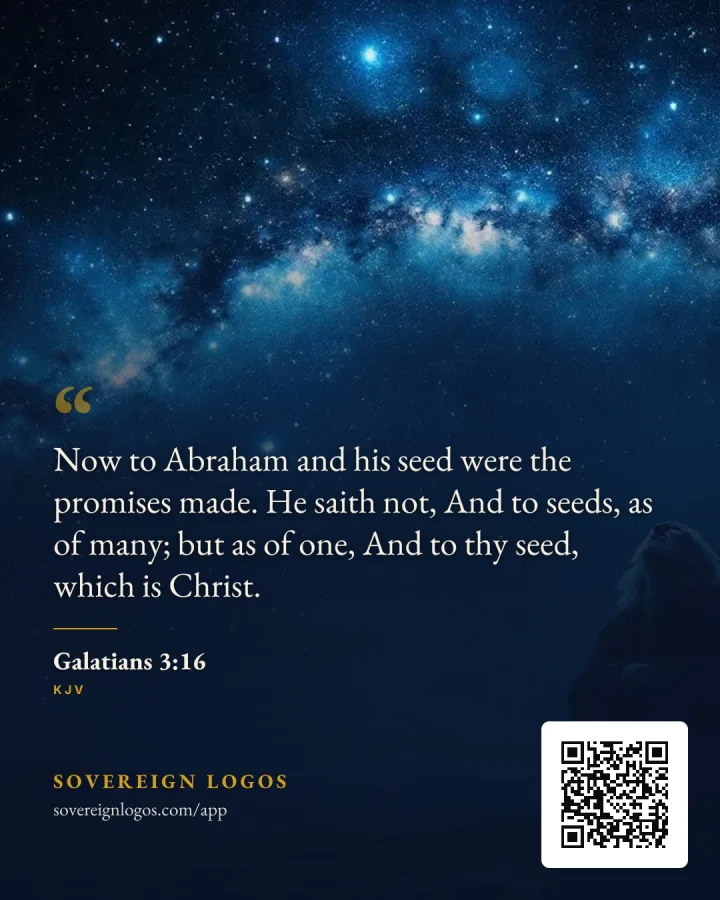
You type
“Find a verse that says the Seed of Abraham is Christ, and make an image of it.”
Try these
- “Give me today's Bible reading and the image to post.”
- The four readings from the one-year plan, a ready-to-post caption and the daily card.
- “Make a verse image of Matthew 6:24 for Instagram.”
- Three ready images of the exact verse on matching artwork, sized for the feed.
- “Find verses on God and mammon I can reply with, with images.”
- Verses grouped by topic, each with an image you can attach to a reply.
- “Show Isaiah 7:14 in the Septuagint and the KJV side by side.”
- Both translations, word for word, with links to read the chapter.
- “Quote Psalm 23 from the Septuagint, exactly.”
- The text from the database, with the Septuagint numbering explained.
- “Search the Bible for "only begotten" and list every verse.”
- Every match in canonical order, each linked to its chapter.
Add it to Claude
Open Claude in a web browser or the desktop app and sign in.
Go to Settings, then Connectors (some accounts show it under Customize).
Choose Add, then Add custom connector (or Custom, then Web).
Name it Sovereign Logos and paste this address:
https://sovereignlogos.com/api/mcpWhen Claude asks about sign-in, choose No sign-in. Nothing to log into.
Select Add. The connector now shows in your list.
In a chat, click the + button, open Connectors and switch Sovereign Logos on. Then ask for a verse, an image or today’s reading.
Phone setup and more in the Claude guide.
Add it to ChatGPT
Open ChatGPT in a web browser and sign in. Custom servers are added on the web.
Open Apps (chatgpt.com/plugins). If custom servers are hidden, turn on Developer mode under Settings, then Apps, then Advanced.
Select the + button, then Add custom MCP server.
Name it Sovereign Logos and paste this address as the server URL:
https://sovereignlogos.com/api/mcpFor authentication, choose No authentication.
Read the warning about custom servers, confirm, then create and install it. Every Sovereign Logos tool only reads; none changes anything in your account.
In a chat, type @ and pick Sovereign Logos, then ask your question.
Missing the option? See the ChatGPT guide.
Other apps
Any assistant that supports remote MCP servers can use this address:
https://sovereignlogos.com/api/mcpClaude Code:
claude mcp add --transport http sovereign-logos https://sovereignlogos.com/api/mcpCursor, VS Code, the REST API and the full tool list are on the developer page.
Why the exact text matters
Every passage comes straight from our database, word for word, with a link to the chapter so you can read it in context. Psalms follow the Septuagint numbering, and the assistant is told when a number differs from the one you asked for. The connector only reads; it never sees your chats or changes anything in your account.
The same texts, with audio and the daily reading, are in our free iPhone and Android app.
Guides
Questions
- What is Bible AI from Sovereign Logos?
- A free connector that lets ChatGPT, Claude and other AI assistants quote the Bible exactly, make verse images and give you the daily reading. It uses MCP, the open standard assistants use to call outside tools.
- Why do AI assistants misquote the Bible?
- They answer from patterns learned in training, not from the text itself, so they blend translations, drop words and sometimes invent verses that sound right. A connector makes them look the passage up instead.
- Do I need an account or an API key?
- No. There is nothing to sign up for. Add the address to your assistant and it works.
- Which Bibles does it include?
- The Septuagint in two English translations, the King James Version with the Apocrypha, the 1599 and 1560 Geneva Bible, the World English Bible and the R.H. Charles 1 Enoch. All are public domain.
- Is my data shared?
- The connector only receives what a tool needs, such as a reference or a search word. It never sees your chats, files or account. See the privacy policy for details.